Clarify the coupon questions to confirm before checkout If you're browsing Balenciaga items on fashion-reps, the most common budgeting mistake isn't misreading the product price—it's prematurely counting an unconfirmed coupon toward the total cost. This article addresses one thing only: before submitting your order, how to determine whether a coupon truly applies to the current item, current purchasing agent, current package, and current checkout c
Editor score 4.2 / 5
Clarify the coupon questions to confirm before checkout
If you're browsing Balenciaga items on fashion-reps, the most common budgeting mistake isn't misreading the product price—it's prematurely counting an unconfirmed coupon toward the total cost. This article addresses one thing only: before submitting your order, how to determine whether a coupon truly applies to the current item, current purchasing agent, current package, and current checkout conditions.
After reading, you should be able to do three things: confirm the coupon's source and validity period, check thresholds and exclusions, and verify on the checkout page that the discount is actually reflected in the amount due. This article does not apply to situations without a coupon code, rules page, post-login offer details, or the ability to display discounts on the checkout page. In those cases, you can only record the status as pending verification and must not write the discount amount into your budget. 🔎
Verification date: October 18, 2026. Prices, inventory, coupons, shipping, taxes, and agent policies may change, and these methods cannot replace real-time confirmation on the checkout page.

Record style, specifications, and current visible price from the fashion-reps product page
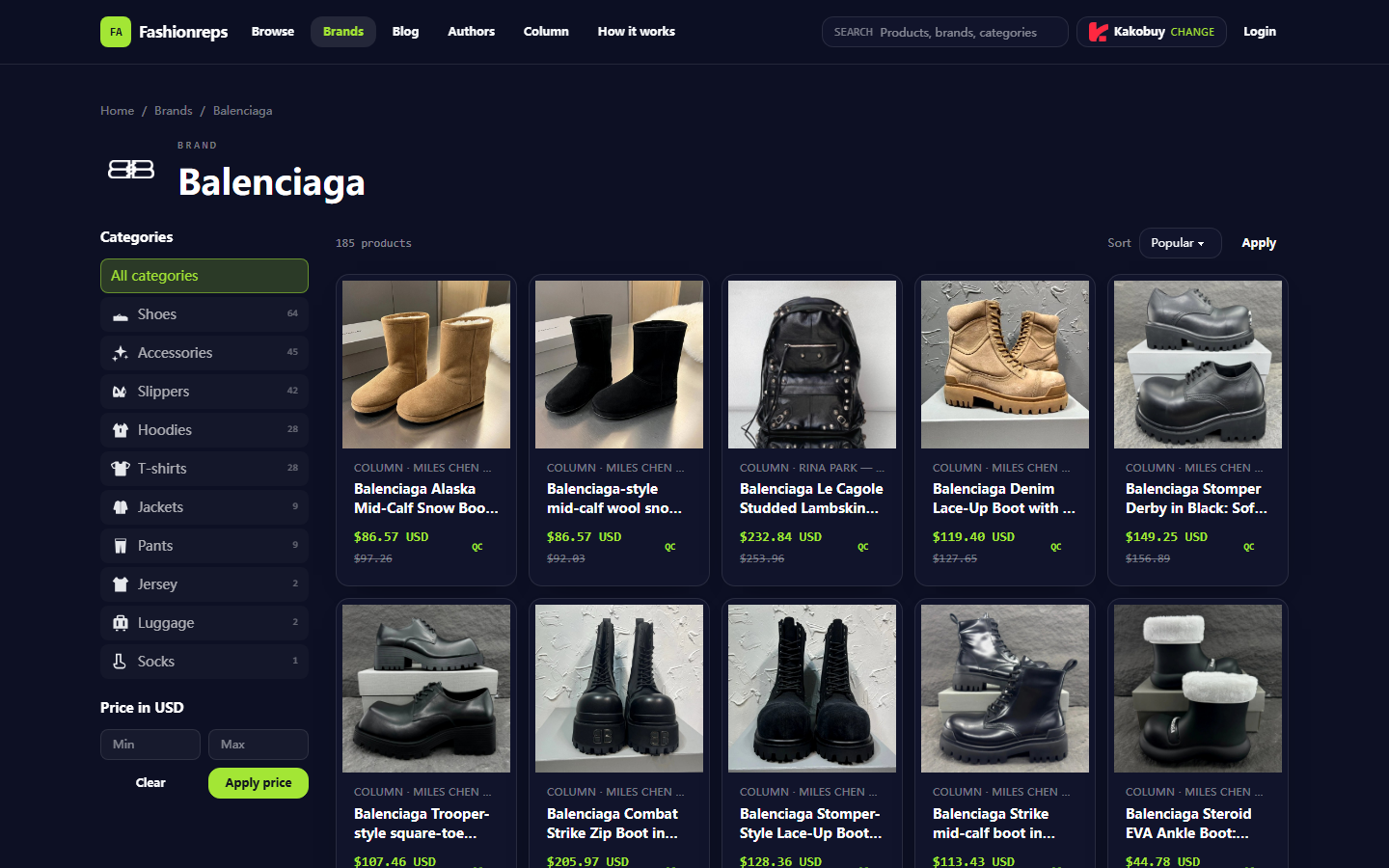
Start with the specific product page rather than assuming a particular coupon will apply. fashion-reps' Balenciaga brand catalog displays product name, category, some specifications, and a USD reference price, but the catalog price alone does not prove coupon applicability or final purchase cost.
For each candidate item, save the following information:
Full name shown on the product page
Product category, such as shoes, bags, clothing, or accessories
Visible size, color, or other specifications
Reference price and currency shown on the page
Date and time the page was read
Whether the product page opens properly and displays clear product information
Whether the page indicates that subsequent ordering must be done through a purchasing agent
Don't just record a broad name like "Balenciaga item." If the same product has different sizes, colors, quantities, or seller options, the coupon may be judged by line item, order subtotal, or specific variant, and vague records will prevent later verification.
Find the coupon acquisition entry, validity period, and applicable terms
The fashion-reps page materials currently provided support the product catalog and purchasing agent selection process, but do not include a set of directly confirmable Balenciaga universal coupon codes, fixed discount percentages, or unified validity periods. Therefore, you cannot infer the existence of a discount based on product name, reference price, or catalog page.
Look for coupon information in this order:
Check the coupon center, promotion page, or order discount entry in the purchasing agent account you're actually using.
Open the coupon details and record the code, acquisition time, start time, end time, and usage status.
Confirm the currency, site, account, payment method, or order channel the coupon applies to.
Check whether it requires claiming, logging in, linking an account, or using only on a designated promotion page.
Save the rules page or in-account details as a reviewable record, rather than relying on chat messages, old screenshots, or search summaries.
If the page only says "limited-time offer," "new user discount," or "up to X off" without clear applicable conditions, record it as an unconfirmed discount. 🧾
Check thresholds, excluded categories, item quantities, and package conditions
Coupon applicability usually needs to be broken down into several independent questions. Don't interpret "seeing a discount on the page" as "the current item will definitely be cheaper at checkout."
| Verification Item | What to Confirm | Budget Treatment if Unconfirmed |
|---|---|---|
| Amount threshold | Is it based on item subtotal, discounted amount, or amount including shipping; is the currency consistent | Not counted as expected savings |
| Item scope | Excludes specific brands, categories, sellers, promotional items, or low-priced items | Calculated at original price |
| Quantity conditions | Requires purchasing multiple items, reaching a specified quantity, or one use per account | Do not split orders prematurely |
| Package conditions | Only applies to first package, specific warehouse orders, or designated shipping lines | Record package discounts separately from item discounts |
| Time status | Claim period, usage period, and whether still valid at checkout | Based on real-time checkout page results |
Pay special attention to currency conversion for amount thresholds. If the product page shows prices in USD but the coupon rules calculate in RMB or another currency, you cannot directly compare numbers. First confirm the platform's exchange rate rules, then determine if the threshold is met; if the rate or calculation method is not disclosed, do not treat borderline orders as meeting the condition.
Also confirm whether the discount applies to the product amount or only to service fees, international shipping, or other charges. Even if the order total decreases, you cannot attribute the entire reduction to a product discount. 💰
Check whether the coupon can be combined with other offers or service conditions
Stacking rules must be based on the coupon details and checkout page. Check separately:
Whether it can be used with the promotional price already shown on the product page
Whether it can be used with new user, membership, or referral rewards
Whether it can be used with promotions related to warehousing, inspection, package consolidation, or international shipping
Whether multiple coupons of the same type can be used simultaneously
Whether the system automatically selects one coupon and cancels another
Whether the discount becomes invalid after canceling a service, changing package method, or switching shipping line
If the rules say "cannot be combined with other offers," "final determination by the system," or similar, use a more conservative budget calculation: first estimate the amount without any coupon, then treat the actual discount on the checkout page as confirmed savings.
Don't add unnecessary items just to meet a threshold. Extra items, volumetric weight, package value, shipping costs, or tax changes may exceed the coupon savings. Coupons should only serve orders you were already planning to place. ⚠️
Item-by-item verification of discount display and amount due on the checkout page
Once in the purchasing agent's checkout process, check at least the following fields:
Current account and coupon used are correct
Item name, quantity, specifications, and unit price match your records
Item subtotal meets the coupon threshold
Coupon discount amount or percentage is displayed separately
Shipping, service fees, inspection fees, consolidation fees, and other charges are recalculated
Taxes or destination country import fees are included in the current amount
Final amount due equals the sum of all charges
Before submitting, the coupon status still shows as available or applied
The most reliable evidence is the coupon name, actual discount amount, and final amount due on the same checkout page. If there's only an "offer" label without a clear amount or rules, do not treat it as confirmed savings.
Record the estimated amount without the coupon first, then record the amount after applying the coupon:
Expected savings = Eligible amount due without coupon − Eligible amount due with coupon
This difference only represents the amount change shown on the current page, not a final landed cost. International shipping, destination taxes, route restrictions, and after-sale fees still need to be checked separately.
Evidence boundaries when coupon code, rules, or real-time status are missing on the page
The following situations are not sufficient to prove a coupon is usable:
Product catalog shows a reference price lower than before
Search results mention a discount but no current official rules
Old screenshots show a discount with no corresponding validity period
Other users claim successful use, but accounts, times, or purchasing agents differ
Checkout page has promotional banners without clear applicable items and amounts
Only see the word "offer" on the product detail page, without entering actual checkout
Estimated amount decreases, but cannot distinguish whether it's a change in product price, shipping, or service fees
In these cases, continue to consult the actual purchasing agent and ask them to confirm the applicable scope, deadline, and checkout method, but do not write unconfirmed amounts into the order budget. If the agent cannot provide clear rules or the discount cannot be displayed before checkout, postpone the order and keep the original price budget.
This article does not provide unverified coupon codes, nor does it guarantee any discount on Balenciaga items. fashion-reps' product pages and purchasing agent selection process only help you locate items and subsequent purchase entry; whether a coupon can be used still depends on the actual account, agent rules, and checkout status.
Save verification records and decide to continue consulting, request proof, or postpone the order
Use the following record sequence to save evidence:
Product page: name, specifications, reference price, currency, and read time.
Coupon details: source, code or offer name, claim status, validity period, and thresholds.
Exclusions: brand, category, seller, promotional items, quantity, or package restrictions.
Stacking rules: stackable items, non-stackable items, and system automatic selection.
Checkout page: item subtotal, discount amount, shipping, service fees, tax notes, and final amount due.
Final decision: confirmed use, need consultation for proof, or postpone order.
Only when the coupon rules, current order conditions, and checkout page discount all align can you write the savings into your budget. If any of the three is missing, continue using the original price or the conservative budget without the discount.
With this verification approach, the potential savings are the discount difference clearly shown on the checkout page; the added costs are the time for recording and reviewing, and the possibility of missing the promotion period by waiting for confirmation. It is more suitable for buyers planning to purchase multiple items, orders near the threshold, needing package consolidation, or needing to distinguish service fees from product discounts. It is not recommended to place an order solely to chase a so-called discount when coupon rules are incomplete, the order is near the validity deadline, the extra items to reach the threshold are not needed, or the final amount cannot be broken down.
Article images
