After purchasing Gucci blue shorts, the most confusing thing before shipping them back is the difference between product weight, actual package weight, and final chargeable weight. These three are not necessarily the same. You cannot directly calculate international shipping costs just because there are QC photos on the product page. Fashion-reps currently verifiable information includes these blue Gucci shorts and their QC page. The page does not provide
Editor score 4.2 / 5
After purchasing Gucci blue shorts, the most confusing thing before shipping them back is the difference between product weight, actual package weight, and final chargeable weight. These three are not necessarily the same. You cannot directly calculate international shipping costs just because there are QC photos on the product page. Fashion-reps currently verifiable information includes these blue Gucci shorts and their QC page. The page does not provide packed weight, dimensions, destination route rates, or final payment amount. Therefore, this article only explains verification methods and does not give unverified shipping cost figures.

First confirm which weight you are recording
The quantity of items should be recorded separately first. For example, how many shorts are in this package, whether they are combined with other items, and whether shoe boxes, hangers, extra protection, or other packaging are added. Information on the individual product page cannot replace the weighing result after consolidation.
It is recommended to keep the following fields separate:
- Item quantity: Only record the number of Gucci blue shorts in the package.
- Item or warehouse weight: The weight of single or multiple items shown after warehouse receipt.
- Post-packing actual weight: The weight of the entire package after packing is completed.
- Package dimensions: Length, width, and height after packing is completed.
- Chargeable weight: The weight calculated by the carrier route based on actual weight, volumetric weight, or the higher of the two.
- Destination and route: Different destinations and shipping routes may use different rates or charging rules.
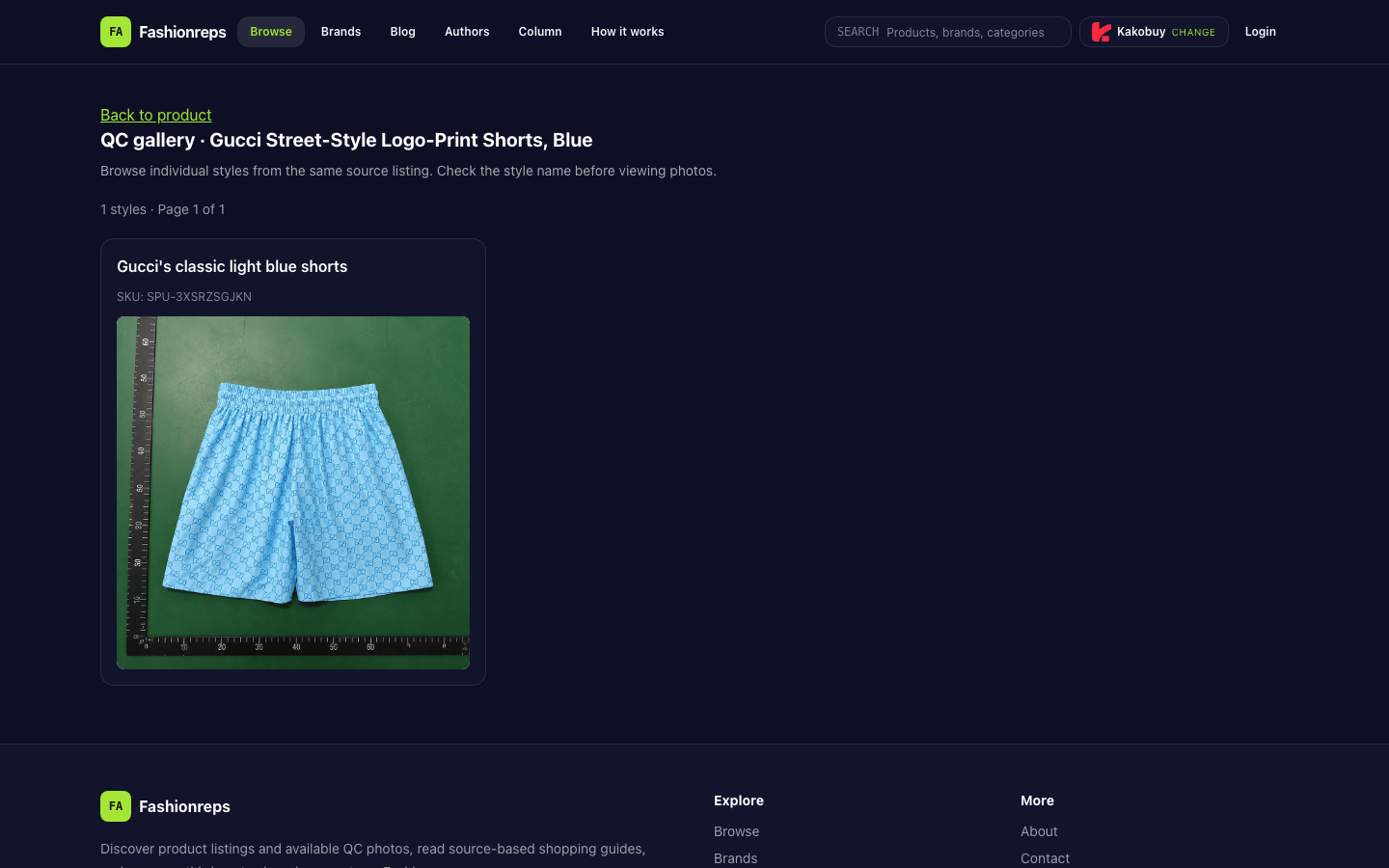
The QC page of this product can only prove that the page corresponds to Gucci blue shorts; it cannot prove any of the above weight or cost fields.
Actual weight and volumetric weight should be verified separately
Actual weight is the weight of the package after weighing, usually based on the entire package after packing, not just the shorts themselves. Volumetric weight is derived from the package's length, width, height, and the conversion rule used by the route. The conversion formula and rounding method are determined by the specific agent or carrier route and cannot be assumed without official rules.
Therefore, when you see a weight number, first determine which category it belongs to:
- If it is warehouse inbound weight, it can only be used as a reference for the item or inbound stage.
- If it is pre-packing weight, it cannot represent the actual weight of the final package to be shipped.
- If it is post-packing weighing result, it can be used to cross-check with the route's chargeable weight.
- If the page only shows chargeable weight, you should look for actual weight, dimensions, and calculation rules to confirm whether it was triggered by volumetric weight.
Use a verification table to keep key fields
| Field | What to record | Impact if missing |
|---|---|---|
| Item quantity | Number of shorts and other items in the package | Cannot confirm the scope of items corresponding to the weight |
| Post-packing actual weight | Weighed value of the entire package after packing, with unit | Cannot compare with chargeable weight |
| Package dimensions | Length, width, height, and unit | Cannot recalculate volumetric weight |
| Destination | Country or region, and necessary postal code information | Cannot confirm applicable route |
| Shipping route | Specific route name | Cannot confirm charging rules and rates |
| Chargeable weight | The weight finally used on the page, with unit | Cannot determine whether actual or volumetric weight is used |
| Payment amount | International shipping fee and currency shown at payment | Cannot verify the amount |
| Query time | Timestamp of the calculator or settlement page | Cannot determine later if rates have changed |
Verify in the settlement order, not by looking at product price first
Step one, confirm the item quantity and whether the package is combined with other orders. Consolidation changes total weight, dimensions, and possibly applicable routes.
Step two, after packing is completed, record the entire package's actual weight and three dimensions. If the platform provides photos or weighing records, save page screenshots at the same time; if the weight is only in verbal or chat form without a corresponding page, the verification value is reduced.
Step three, open the official shipping calculator of the target agent or carrier route visible at the time, and fill in destination, route, post-packing actual weight, and dimensions. Record whatever fields the calculator requires exactly as shown on the page, and do not use product weight to replace post-packing data.
Step four, check whether the calculator's output chargeable weight matches the settlement page. If they differ, first check units, rounding, route selection, and whether special packaging services are enabled, then contact the platform to confirm. Do not simply choose the lower number as the budget.
Step five, keep the fees in separate columns. At minimum, distinguish product price, agent service fee, payment fee, packaging fee, international shipping, exchange rate, and possible tax conditions. When there is no official page or current settlement record to support it, do not fill in specific amounts.
When to pause amount comparison
If any of the following occurs, it is advisable to pause the judgment of "which route is cheaper":
- No post-packing length, width, and height.
- Only the weight of the shorts themselves, without the entire package's actual weight.
- The charging rules do not state whether they are based on actual weight, volumetric weight, or the higher of the two.
- Destination or route is not yet determined.
- The rate page does not show the query time, or the page content is no longer accessible.
- The fee only shows a converted amount without the original currency and exchange rate basis.
- The settlement page combines packaging, service, or other additional fees and cannot be broken down.
In these cases, at most you can complete field verification, but you cannot reach a reliable shipping cost amount or route comparison conclusion.
Final confirmation and saving evidence
Before submitting payment, save at least one screenshot or export record of the page at that time, including post-packing actual weight, dimensions, destination, route, chargeable weight, currency, fee details, and query time. The screenshot should clearly show that the data belongs to the current package, not other orders or product pages.
For these Gucci blue shorts, the current QC page does not provide packaging dimensions, actual weight, chargeable weight, or shipping cost data needed for returning. Therefore, the correct approach is to wait until the package information and target route calculator results are complete before verifying amounts. Until then, do not treat product weight as the basis for calculating international shipping costs.