On fashion-reps' Bose brand page, products usually show a reference price that should not be directly treated as the final charged amount. Before payment, you should record the item price, agent service fee, payment fee, packaging fee, international shipping fee, and exchange rate separately. Only amounts clearly d
Editor score 4.2 / 5

On fashion-reps' Bose brand page, products usually show a reference price that should not be directly treated as the final charged amount. Before payment, you should record the item price, agent service fee, payment fee, packaging fee, international shipping fee, and exchange rate separately. Only amounts clearly displayed on the checkout page or corresponding fee page should be included in the final amount due.
First Confirm the Specific Product and Page Status
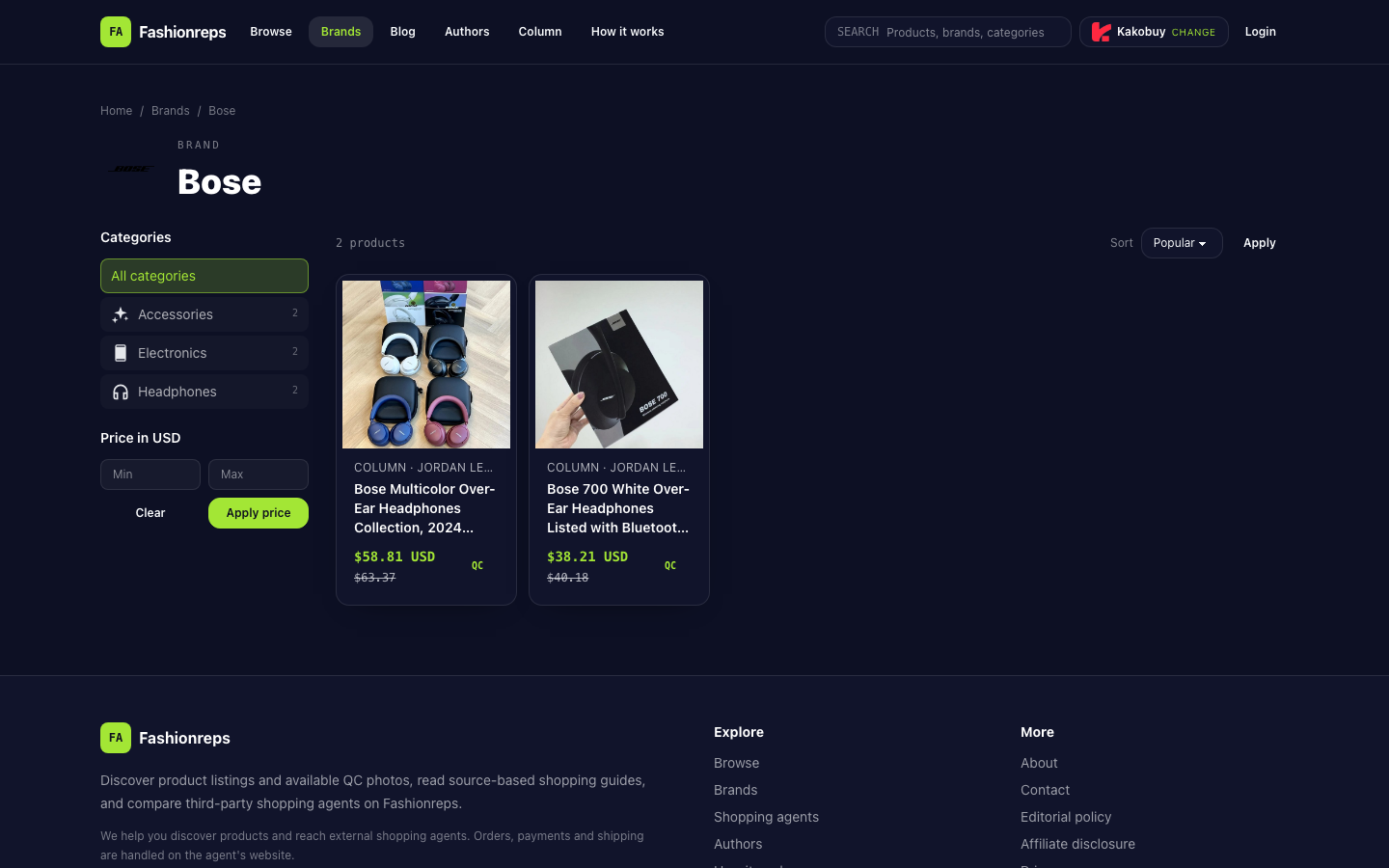
As of October 30, 2026, the Bose brand page shows 2 products. One is "Bose Multicolor Over-Ear Headphones Collection, 2024 Model in Six Colorways," with a reference price of $58.81, and the page also shows a previous reference price of $63.37. The other is "Bose 700 White Over-Ear Headphones Listed with Bluetooth 5.3 and IPX4," with a reference price of $38.21 and a previous reference price of $40.18.
These prices can only serve as page records and cannot be used to infer that discounts are still valid, stock is sufficient, or the item can ultimately be purchased. When preparing to pay, save the following information:
- Full product name, color, model, and selected variant
- Reference price displayed on the page and the time of page query
- Whether the product page can still open normally and proceed to purchase
- Whether the checkout page shows a different product amount from the product page
If a color, model, or variant does not have a clearly corresponding price, pause payment and do not substitute prices from other colors or historical prices of the same product.
Break Down Total Cost into Separate Items
You can create a pre-payment record in the following order:
| Fee Item | What to Confirm Before Payment |
|---|---|
| Item price | Specific product, quantity, variant, and amount shown on the checkout page |
| Discount or adjustment | Whether it is actually applied and the amount after application |
| Agent service fee | Fee name, charging conditions, and specific amount |
| Payment fee | Handling fee or additional charge corresponding to the payment method |
| Packaging fee | Whether it is incurred and whether the amount is included in checkout |
| International shipping fee | Shipping method, chargeable weight or other applicable conditions, and specific amount |
| Exchange rate | Exchange rate used for settlement, currency, and query time |
The reference price on the product page cannot replace agent service fees, payment fees, packaging fees, or international shipping fees. If an item shows no amount on the checkout page, do not assume it is zero; confirm whether the page clearly states that the item is not charged or whether it will be recalculated in subsequent steps.
Recalculate the Final Amount Due
First record each fee in the original settlement currency, then convert separately to the actual deduction currency. The basic recalculation method is:
Item amount + confirmed post-discount adjustment items + agent service fee + payment fee + packaging fee + international shipping fee = settlement total
If the page settles in a foreign currency, also record:
Settlement total × exchange rate used on the page or during payment = estimated amount in local currency based on that exchange rate
This is only a recalculation result and not equivalent to the final amount posted by the bank or payment institution. If the payment institution may exchange currency separately or charge fees, treat that portion as an unconfirmed amount rather than directly incorporating it into the product reference price.
What to Do When Reference Price and Charged Amount Differ
When there is a discrepancy, troubleshoot in the following order:
- Check that the product name, model, color, quantity, and variant are exactly the same.
- Compare the reference price recorded on the product page with the product amount on the checkout page to confirm if a price update occurred.
- Check whether the discount is actually applied, not just shown on the product page or in promotional descriptions.
- Check whether agent service fee, payment fee, packaging fee, and international shipping fee only appear in subsequent steps.
- Check the settlement currency and exchange rate query time to avoid mixing conversion results from different times.
- Save screenshots or page records of the product page, fee detail page, and final confirmation page.
If the discrepancy cannot be explained by the listed items on the page, or if shipping fee, payment fee, and exchange rate are still not shown, pause payment and wait for the fee conditions to be clarified. Do not use the previous reference prices of $63.37 or $40.18 to reverse-calculate the current price, and do not directly treat $58.81 or $38.21 as the total cost.
Minimum Record Before Payment
Before payment, keep at least a record containing the following:
- Product page name, model, color, and variant
- Current product reference price and page time
- Product amount on checkout page
- Each confirmed additional fee
- Settlement currency and exchange rate information
- Fee items not yet provided on the page
- Final confirmed amount and recalculation result
As long as there is an unexplained amount difference, missing applicable conditions, or inability to confirm the product and fees on the page, you should not treat the product reference price as the final amount due.